For the complete documentation index, see llms.txt. This page is also available as Markdown.

Product Sets

A Product Set is a curated group of products you present together — the menu of plans and add-ons a customer chooses from in a storefront or a journey. Rather than tying products to a single flow, you assemble them once into a set and reuse that set wherever you sell. Product Sets are also the unit that Offers and Audiences target, so they're how you control who sees which products. Manage them under Commerce → Product Sets.

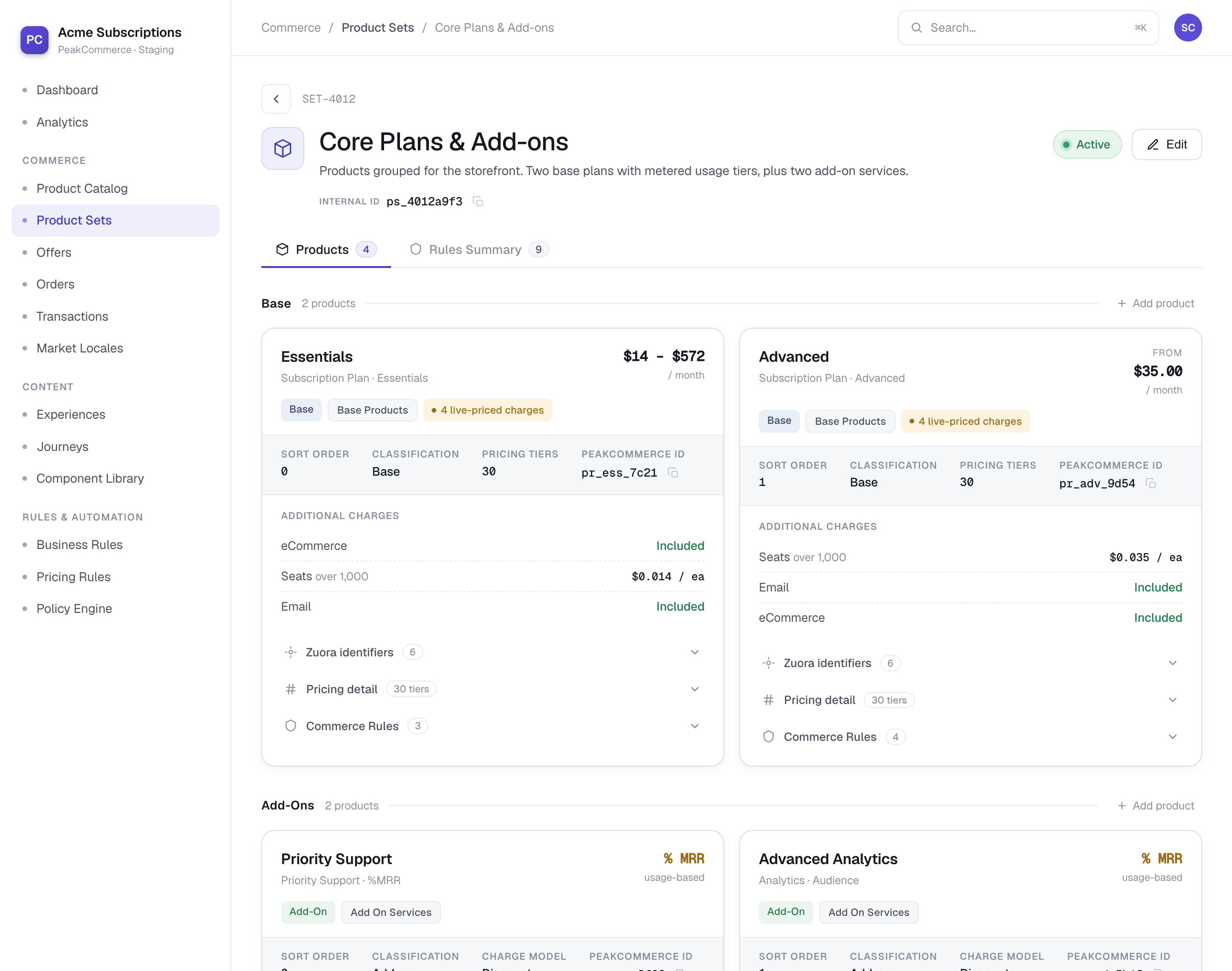
A Product Set detail page with its base products and add-ons, each showing classification, pricing tiers, charges, and commerce rules
A Product Set (Commerce → Product Sets) — the base products and add-ons in the set, each with its pricing tiers and commerce rules.

What's in a set

A set is organized into two groups:

  • Base products — the core plans a customer picks one of (for example a Starter and an Advanced tier). Each shows its classification, pricing tiers, and charges.

  • Add-ons — optional services layered on top of a base plan (priority support, advanced analytics, extra usage), often priced as a percentage of MRR or on usage.

For each product in the set you can see its classification, pricing tiers, the underlying charges, and any commerce rules that apply — and the set carries a status of its own.

How sets are used

  • Offers and Audiences target a Product Set to decide who is eligible for it and what pricing they get — so the same set can power different experiences for different customers.

  • A journey or storefront resolves a Product Set to render the available plans, instead of hard-coding products into the flow. This replaces the legacy journey-scoped "Categories" model.

Create and manage

  1. Go to Commerce → Product Sets and open or create a set.

  2. Add base products and add-ons from your Product Catalog.

  3. Set the order and any commerce rules, then set the set's status to Active.

Gotchas

  • A set must be Active to resolve. A storefront or journey pointed at a draft or inactive Product Set won't return products (it resolves to nothing) — activate the set before wiring it into a flow.

  • Products in a set still come from the catalog: a product's own status and provider link govern whether it can actually be sold. See Managing Products.

Last updated

Was this helpful?